
 Tiếng Việt
Panel DARKROOM – Automatic photo editing for professionals photographer
$ 5 – $ 107
What is the DarkRoom Panel?
Is a panel used in Photoshop made by HoangPhucPhoto especially for those who are professional photographers and photo editors, photo studios.
Provides a variety of image refinement features from batch editing with AI support for fast speed, time saving and extreme efficiency.
Dark Room will fully automatic image editing, a variety of effects and fine-tuning modes will make your photos perfect. Thereby helping to increase work efficiency and earn more profits.

Download now the free version of DarkRoom panel
You can download the DarkRoom panel installer depending on your operating system:
For WINDOWS: DOWNLOAD HERE
For MACOS: DOWNLOAD HERE
Load the data resources used in the panel: DOWNLOAD HERE
Note: Download Basic version (2Gb) if you just use Typography (art word) and Sky (set of clouds), or download Full version (9Gb) if you have a need to use all resources included
Brief introduction of DarkRoom panel
Dark Room is one of the most professional photo editing tools, with a variety of features that make photos stand out and more vivid than the original.
Besides, Dark Room’s resource store allows users to freely choose.
This is a photo editing solution for professionals with full features from adjusting the parameters of portraits to even stylish photos. With Dark Room you save time post-production photos, short but effective results beyond expectations.
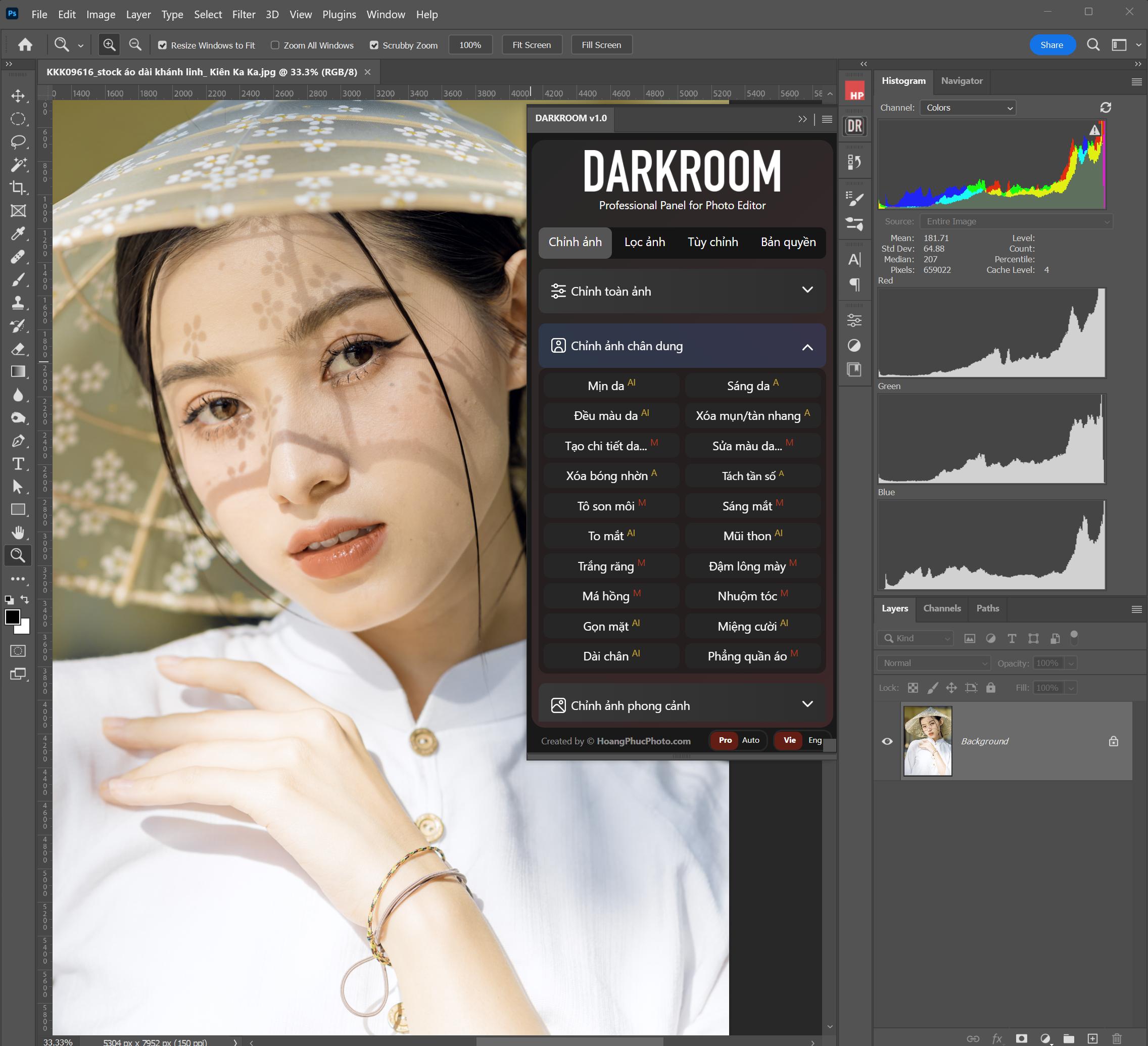
Special benefits of DarkRoom panel
Fully automatic
With Dark Room’s automatic photo editing capabilities, non-professional users can still own artistic photos.
Batch Editing
With Dark Room shortening photo post-production time, 10 times faster than many other software.
Fast, beautiful and economical
With only … own a Dark Room with automatic and professional photo editing capabilities. Lifetime ownership in just 1 premium (Optional Perpetual plan).
Automatic image filter
More leisurely when working with customers, you just need to give a list of file names that the customer has selected, the panel will support filtering from the original set of images to the selected image file completely automatically. You don’t have to search by file name manually and time consuming like before.
Various fine-tuning modes
With many groups of features arranged logically and easy to understand, all the features on the Darkroom panel have been distilled to create the highest efficiency.
Allow to change personal logo
You can completely change the DARKROOM logo to your personal logo to increase personal brand awareness. (applies to the Vinh Vien version)
The ability to expand the number of devices per license key
With the DarkRoom panel, you can completely buy additional device slots if you own multiple computers. By default, each key can only be used for 1 machine (can be transferred to another machine at will), and you want to buy more slots for the other 2 machines. HoangPhucPhoto has an expansion pack for sale with the price +500k for each additional device. You can use that 1 key to activate on multiple computers. And this fee only need to pay 1 time only.
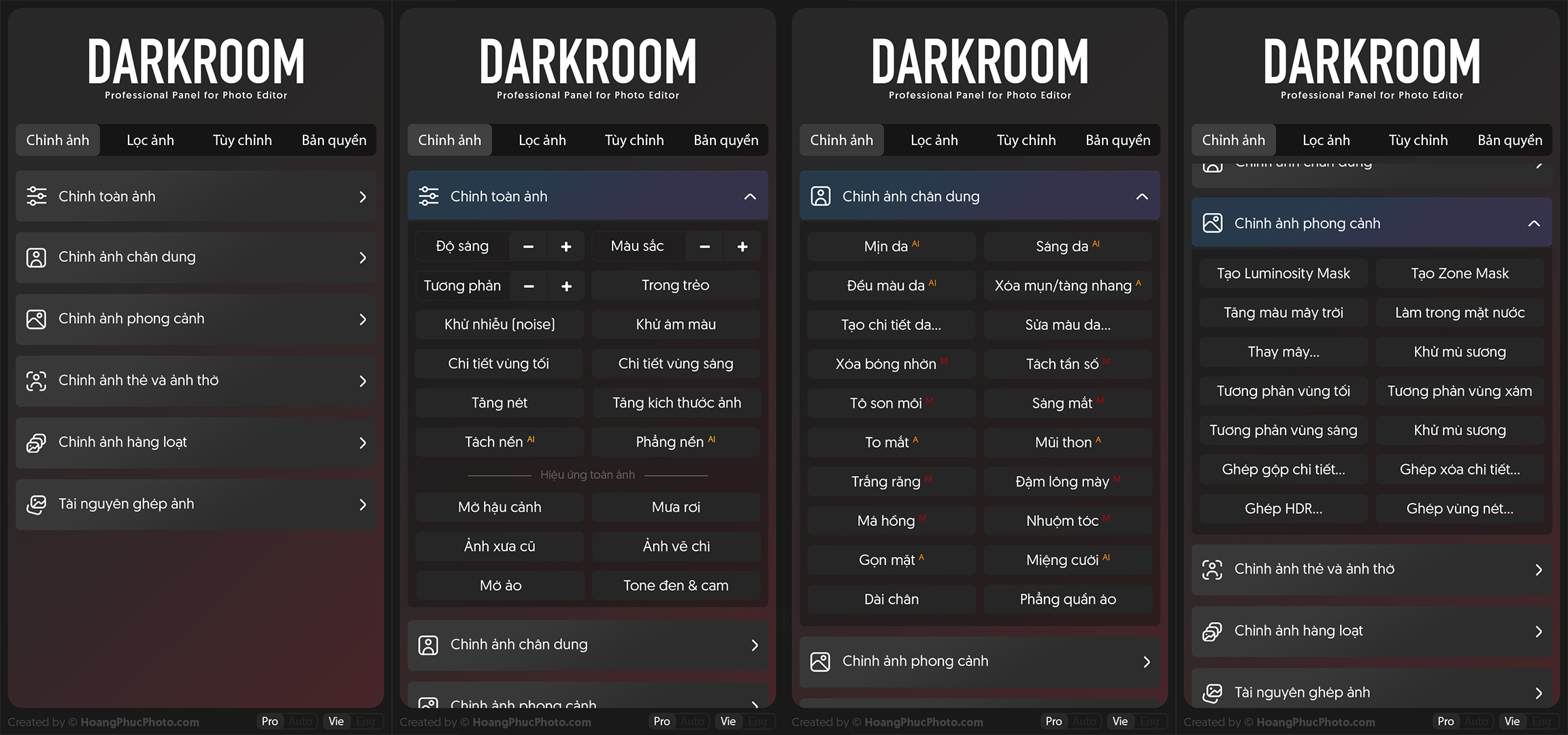
Outstanding features of DarkRoom panel
- Portrait Editing
With portrait image correction mode allows users to process realistic images. Dark Room can smooth skin, extremely trendy lipstick color, adjust facial contours to be slimmer and more beautiful.
Especially, Dark Room’s features of acne removal, skin lightening and smile correction are outstanding and easy to use compared to other software on the market.
- Fully automatic landscape photo editing
For those who often take landscape check-in photos, the automatic landscape photo editing function is suitable for amateur to professional photo editors.
De-fog, increase the color of clouds or adjust the contrast between light and dark areas, Dark Room can be completely fine-tuned with quick post-production time.
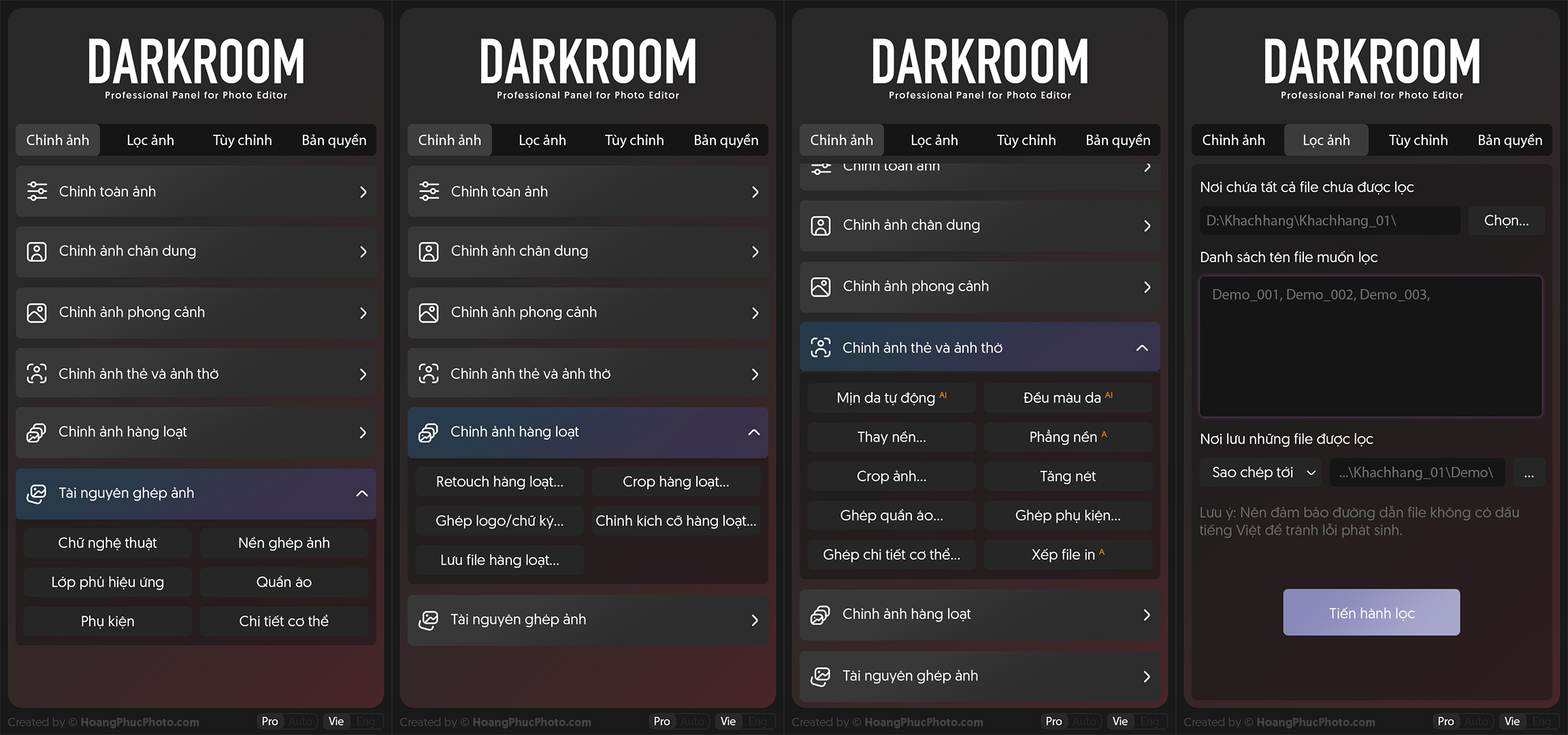
- Bulk photo editing
All editing modes on Dark Room are done automatically in combination with AI, so image processing is extremely fast.
In addition, Dark Room allows you to attach links or insert logos in a series of photos within 30 seconds.
- Edit CARD PICTURE & CARD PICTURE
With the feature of editing card images and worshiping images, the card image file arrangement is fully automatic for fast and efficient processing. In particular, in urgent situations, Dark Room helps you to quickly resolve images.
Configuration required:
Computer with pre-installed Photoshop 2019 or later, preferably 2021 or later.
- CPU: Intel Core i5 speed 2Ghz or higher, or M1 or higher
- RAM: 8 GB or more
- Hard drive: 4 GB of free space or 9Gb if using the included Full DATA set
- GPU: DirectX 12 support and 2 GB of memory
- Operating System: Windows 10 (64-bit) version 1809 or higher, or MacOS Big Sur or later
| Plans | 1 month, 6months, 12 months, LIFETIME |
|---|
Be the first to review “Panel DARKROOM – Automatic photo editing for professionals photographer”
You must be logged in to post a review.
Reviews
There are no reviews yet.